A modernsystem-wide EQfor macOS.
64-band parametric EQ, independent L/R curves, a full effects rack, loudness normalisation and per-app routing — tuned for headphones, speakers, and every DAC in between.
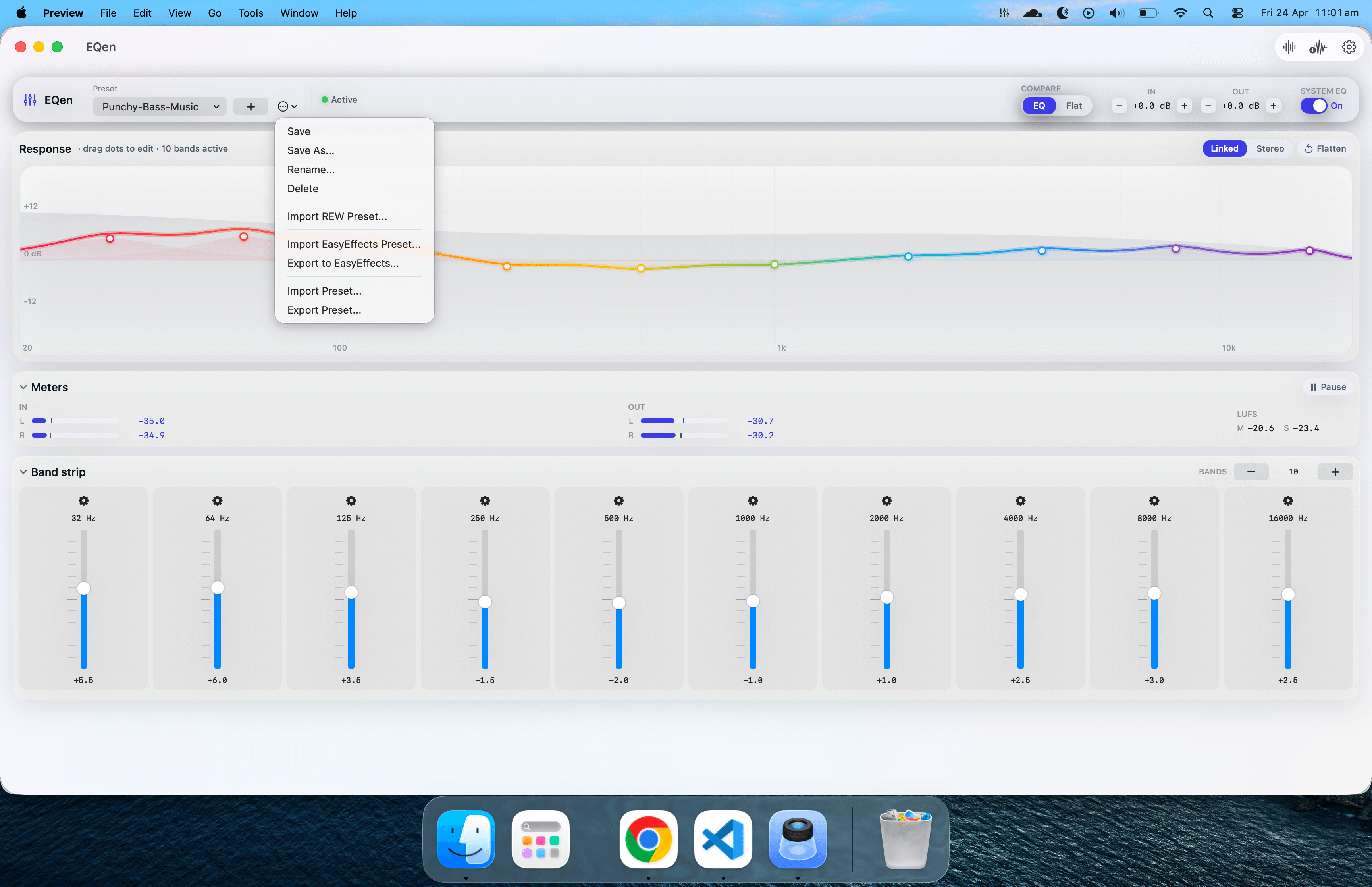
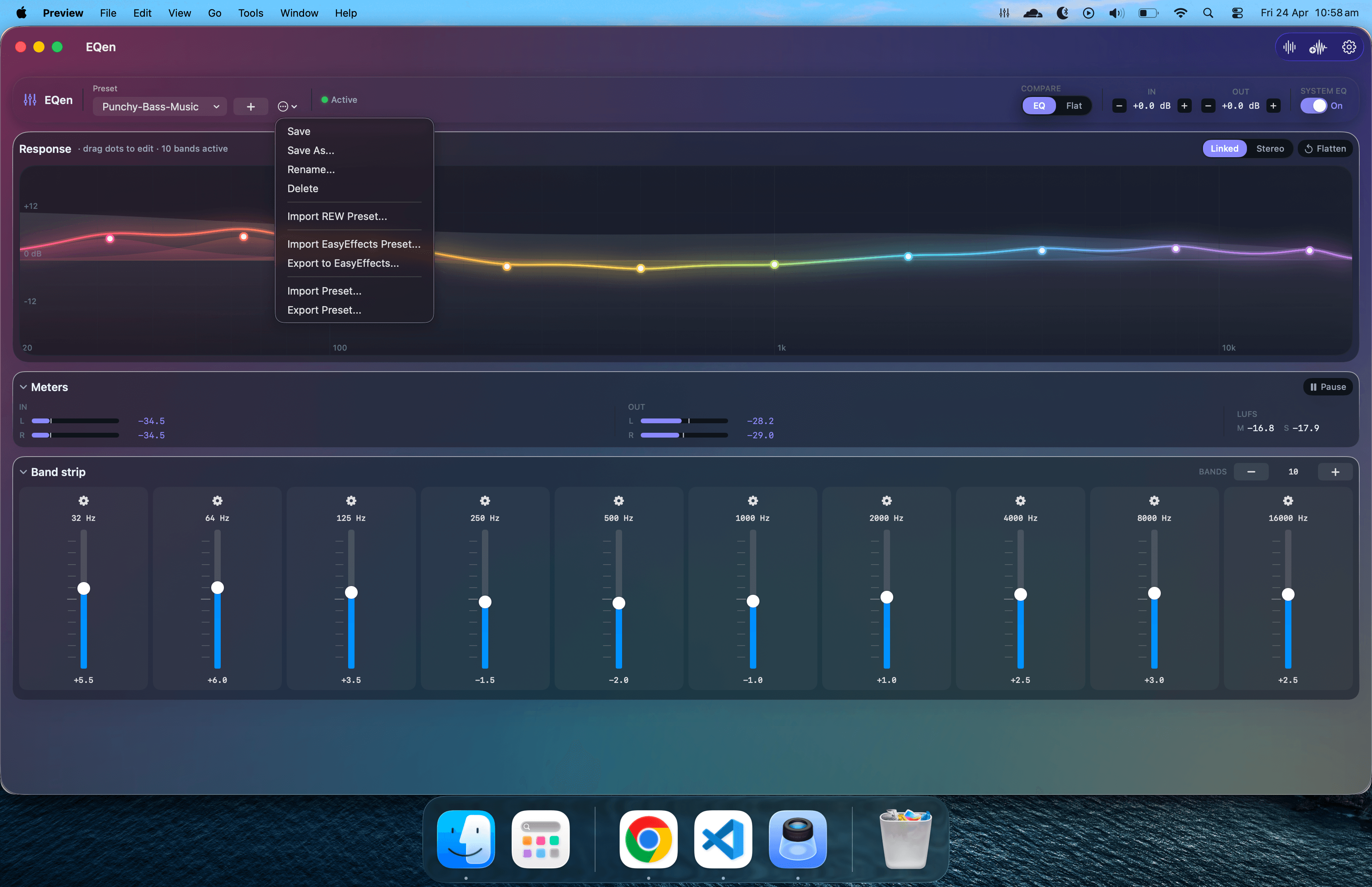
Every tool a serious listener needs — in one menu bar icon.
EQen replaces a stack of plug-ins and routing tools with one cohesive app that does nothing but audio, beautifully.
Up to 64 fully parametric bands. Frequency, gain and Q with sub-dB precision on every band.
A virtual CoreAudio driver routes every app — Apple Music, Spotify, YouTube, films, games.
Separate curves per channel — for hearing asymmetry, IEMs, or one-sided headphone correction.
A studio-grade post-EQ chain — loudness, dynamics, tonal shaping and spatial processing, in the right order.
Measurement-based target curves built in. Pick your model, get a measured-flat starting point.
Auto-level every track to your target LUFS. End the volume-knob dance between albums and YouTube.
Apply EQ to one app, mute another, leave a third untouched — all without a kernel extension.
Hand-tuned profiles for qawwali, classical, bollywood, cinema, sub-bass — research-backed curves.
FFT analyser overlaid on the EQ curve. See exactly what each band is doing to the music.
No Dock clutter. Quick toggle, output picker and preset list — one click from anywhere.
Developer ID signed and Apple-notarised. Opens with zero Gatekeeper friction on any Mac.
Signed background updates. Checks daily and installs quietly — always on the latest build.
A professional audio tool, built natively for macOS.
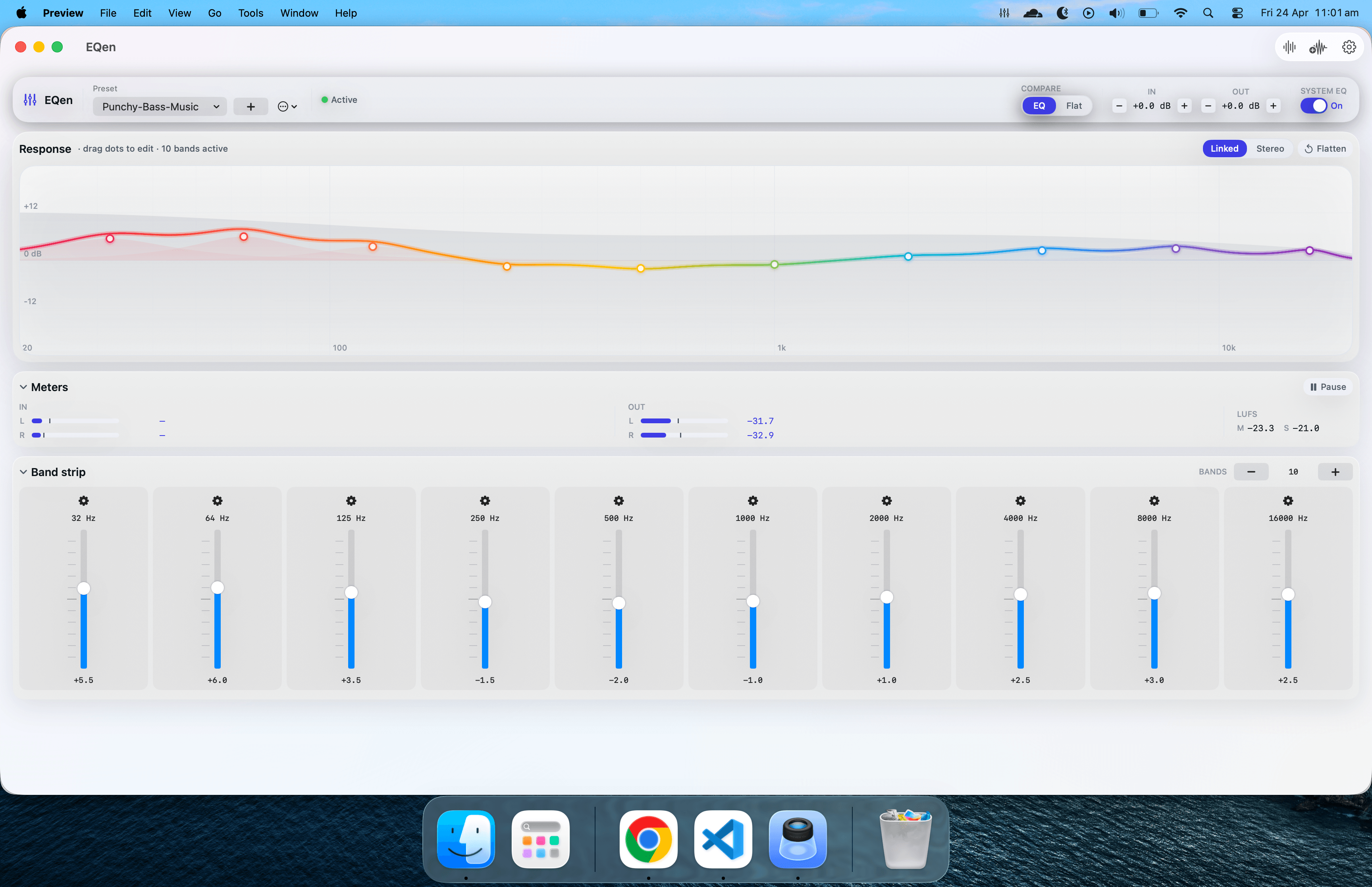
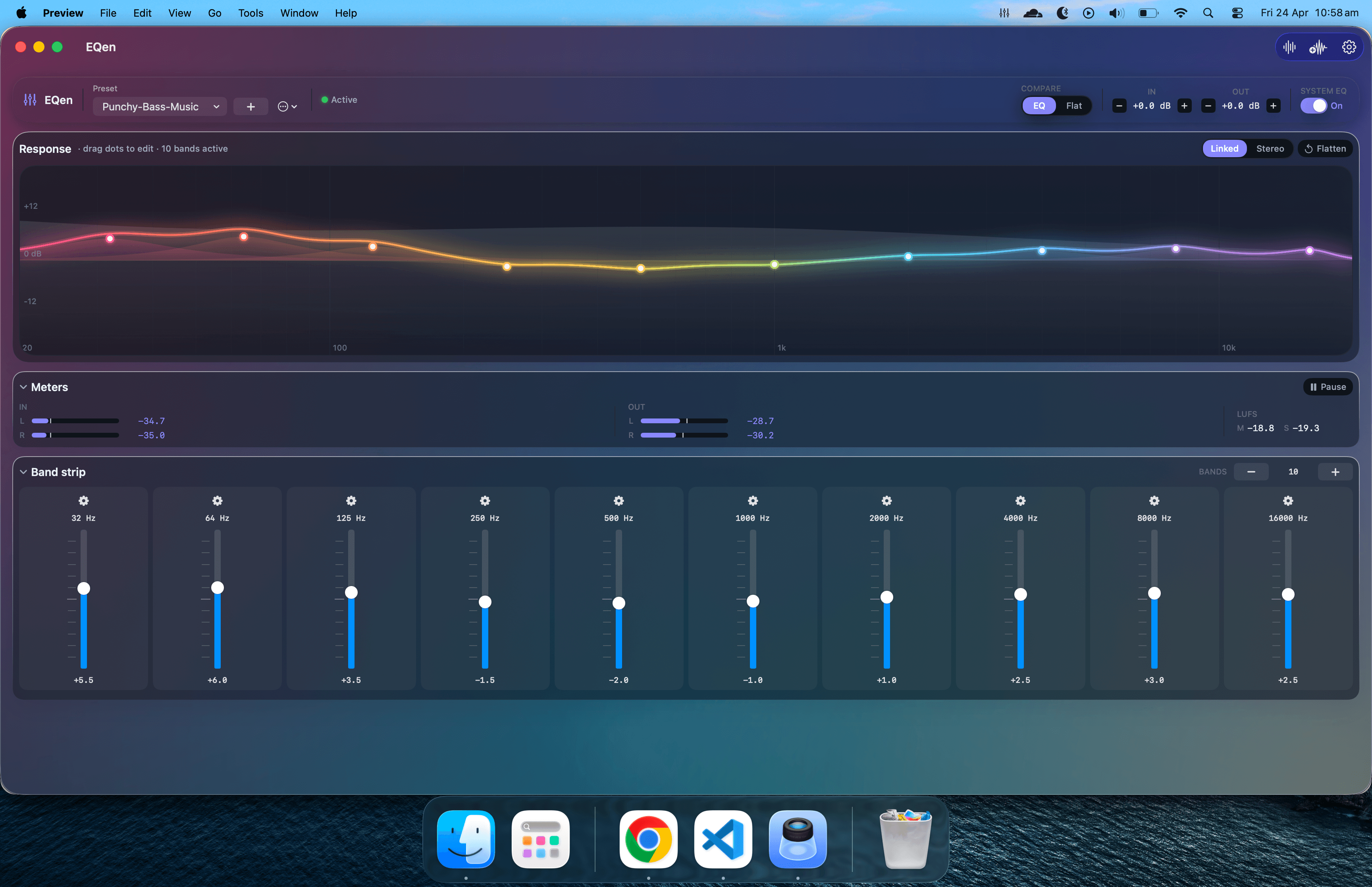
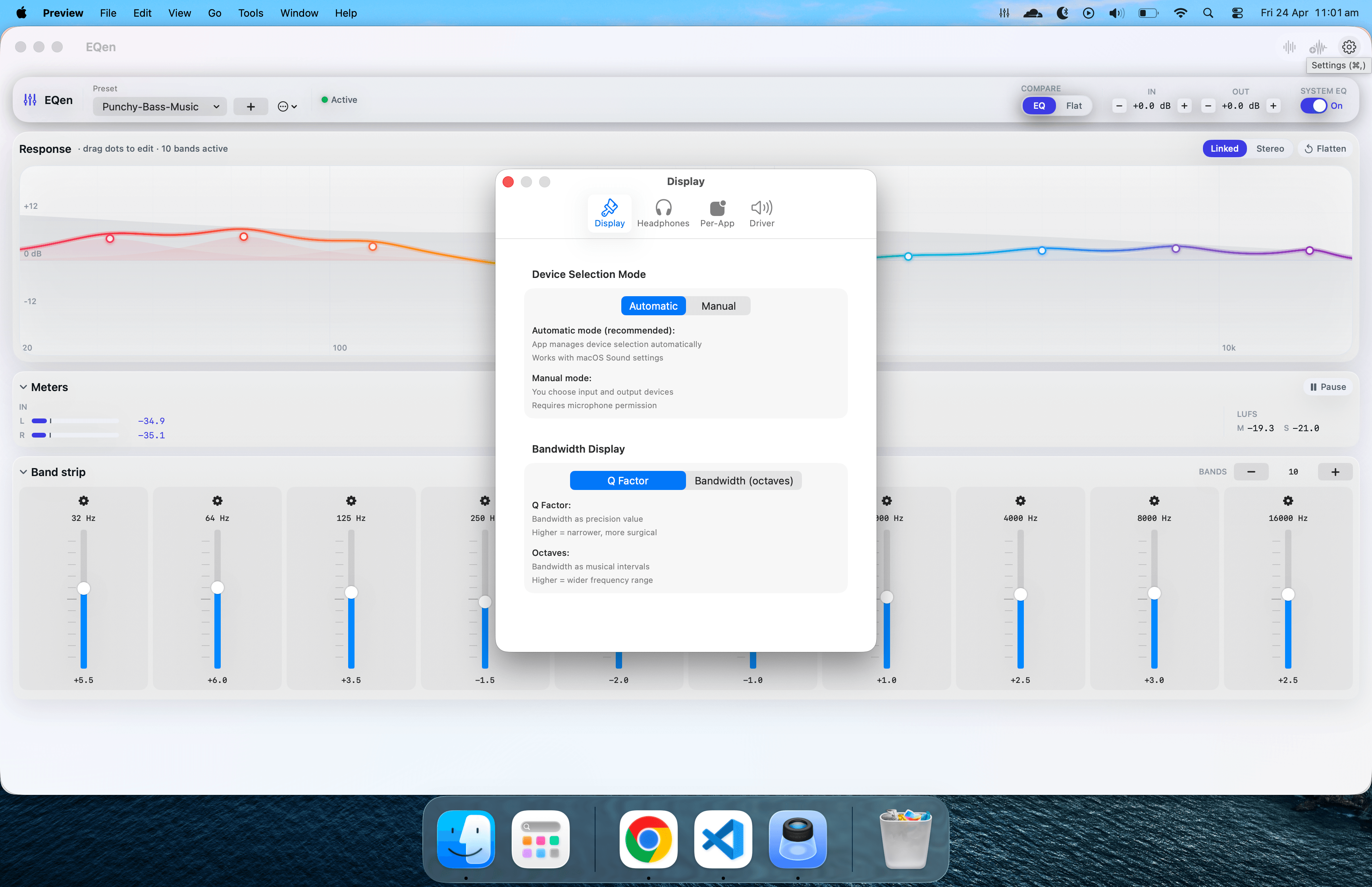
Every surface is functional — the EQ curve is the primary control surface and every band dot is draggable.
The EQ curve is the control surface.
Drag any band dot to reshape the sound in real time. Per-band Q, gain and frequency. A live spectrum overlay shows you exactly what each band is doing to the music.
- Up to 64 fully parametric bands
- Per-band Q · gain · frequency
- Linked, stereo and flatten modes
- Compare against flat at matched volume
A studio-grade processing chain, post-EQ.
Loudness, dynamics, tonal shaping and spatial processing — all on the same real-time-safe engine, always in the right order. Standard mode keeps the knobs focused; Advanced exposes the heavy effects for when you want them.
- Auto-levelling to a target LUFS (BS.1770 K-weighted)
- Feedforward linked-stereo dynamics, soft knee
- Per-effect bypass with true zero-latency
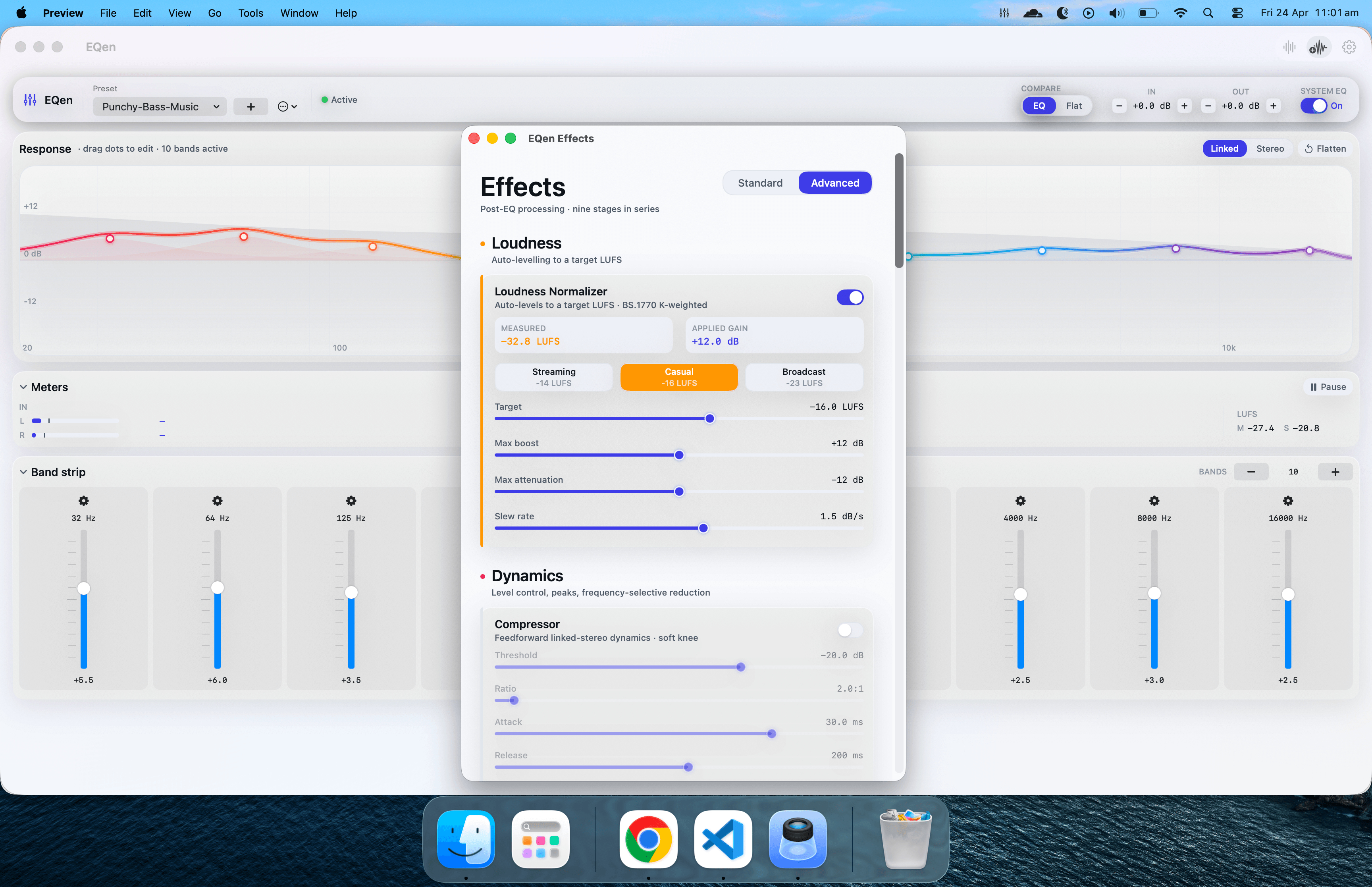
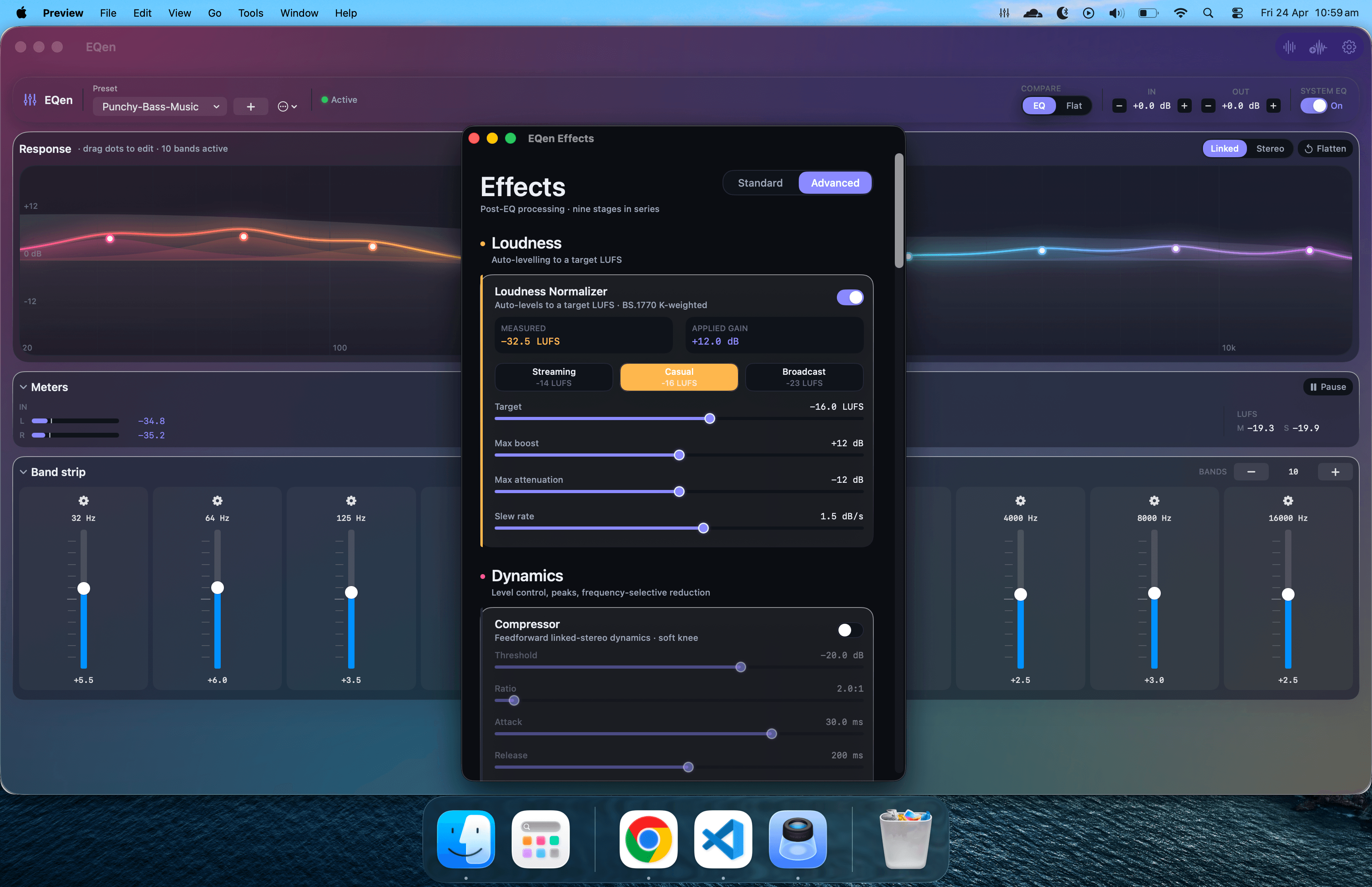
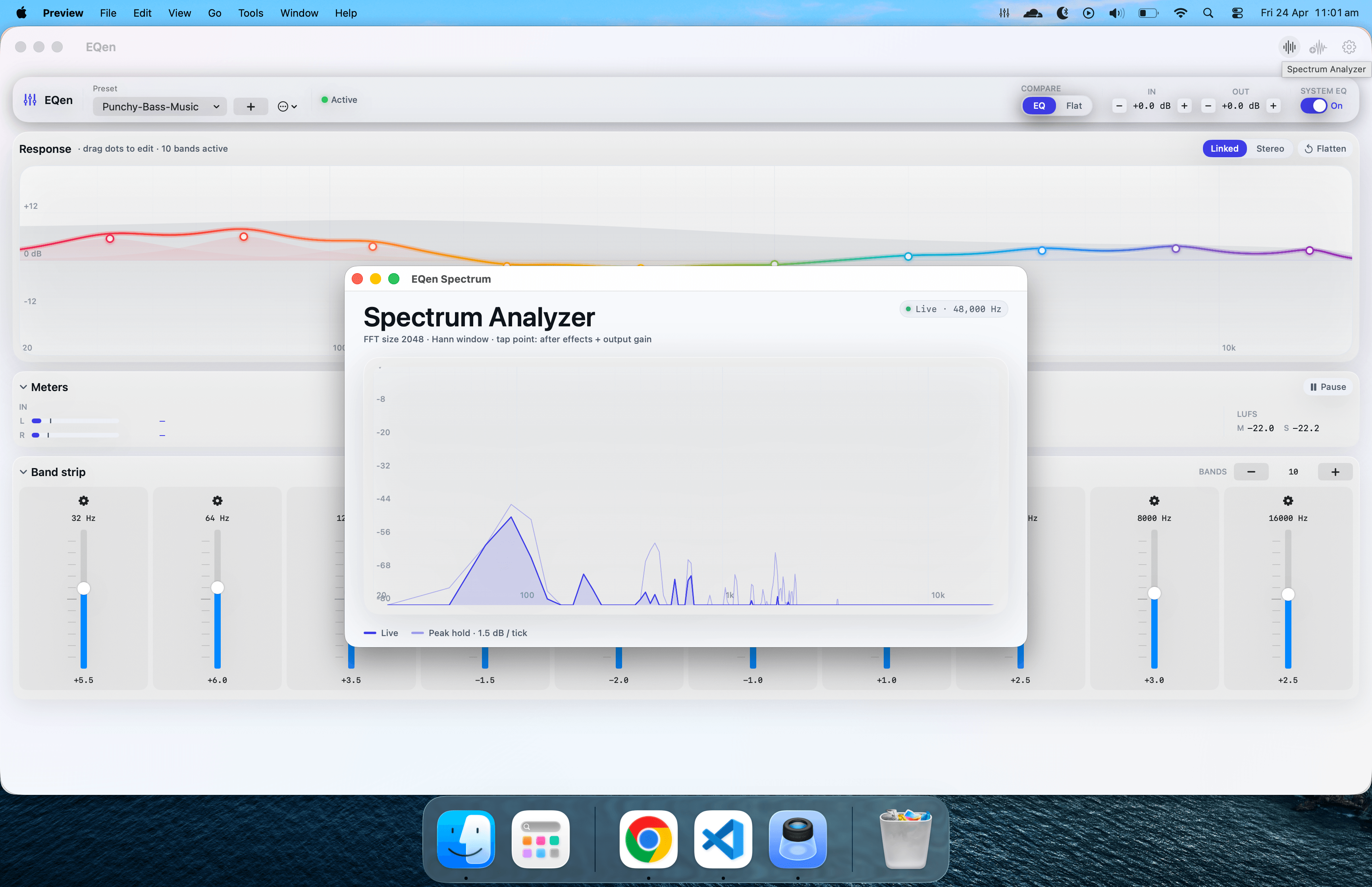
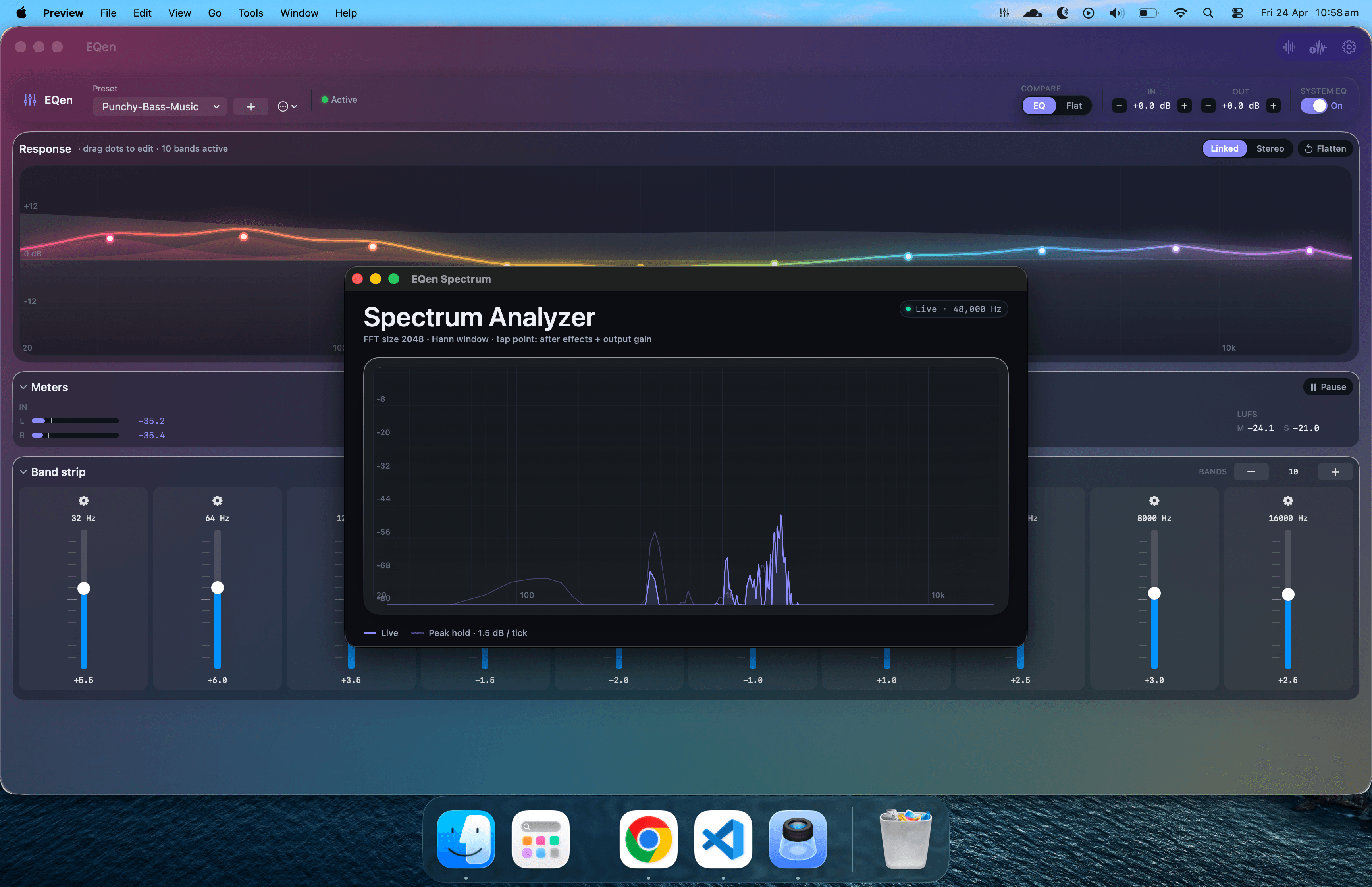
See the music, not just hear it.
A standalone, real-time FFT analyser with peak-hold, decay, and a faithful −∞ to +6 dB scale. Read input vs. output simultaneously to verify your EQ is doing what you intended.
- FFT size 2048, Hann window, 60 fps
- Peak hold with ~1.5 dB tolerance
- In, Out, and overlay views
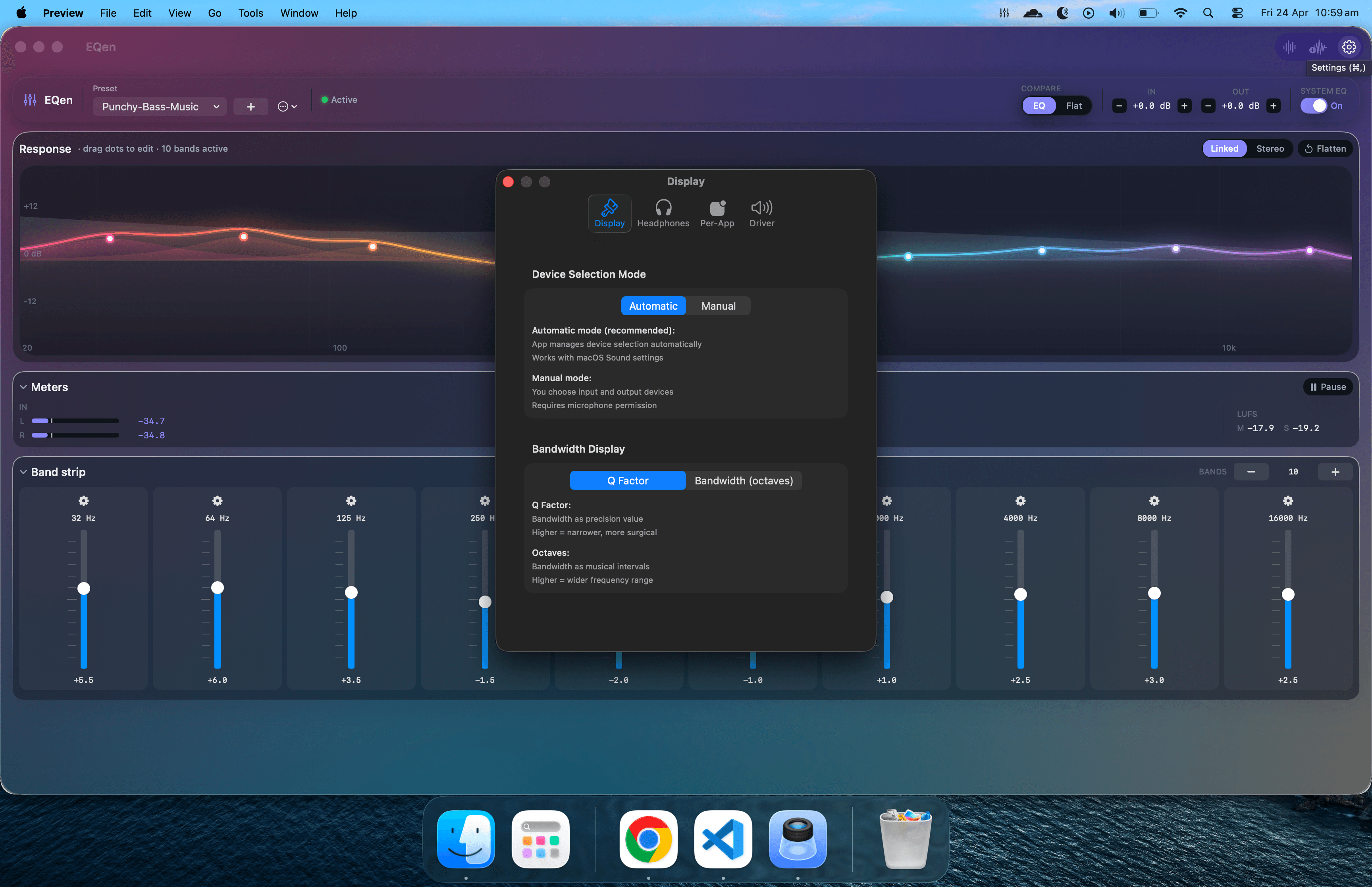
Every setting, in one focused window.
Audio routing, driver behaviour, display appearance and system integration — all configured from a single, organised preferences surface. Nothing hidden, nothing buried in submenus.
- Light, dark and auto appearance modes
- Output device and sample-rate selection
- Menu-bar, dock and auto-launch behaviour
- Signed auto-updates and per-app routing
One click from anywhere on your Mac.
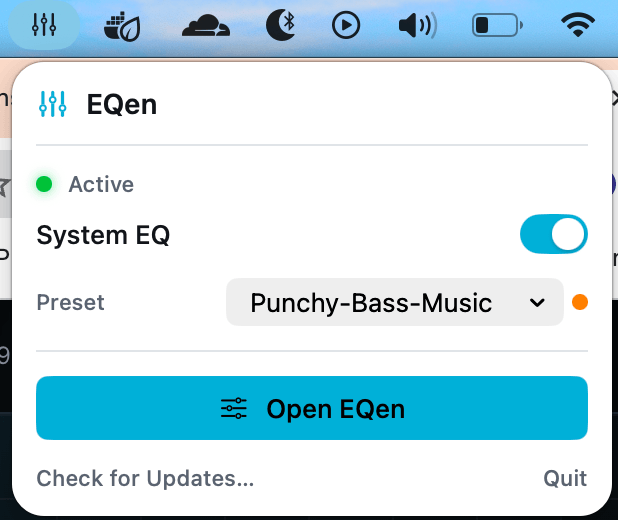
EQen lives in the menu bar — System EQ toggle, output picker and preset switcher in a single popover. No Dock clutter, no window juggling.
- Toggle System EQ instantly
- Switch presets without opening the main window
- Signed background updates — daily, automatic
Every effect, in the order that matters.
Loudness leads. Dynamics and tonal shaping follow. Spatial sits last. Enable only what you need and bypass anything with true zero-latency.
Research-backed curves for the music you actually listen to.
Each preset is a hand-tuned EQ profile, not a generic graphic-EQ copy. Tuned on reference headphones against measured target responses and the recording characteristics of the genre.
Neutralises common USB DAC colouration; the starting point for tuning everything else.
Warms vintage live mics, tames 2–4 kHz harshness, restores air for harmonium and tabla.
Cleaner studio recordings — gentle low-mid scoop, soft top-end shimmer.
Tuned for modern remasters — restraint on lows, transparent mids, controlled treble.
1970s–90s analog warmth: lift bass body, tame strings, gentle tape-style top.
Sub-bass extension and crisp vocal presence for current production.
Sitar, sarod and vocals in their sweet spot — minimal touch, max detail.
Modern pop / rock target — slight smile curve, punchy bass, clear top.
Dialogue intelligibility lift, controlled sub-bass for late-night viewing.
Adds weight below 60 Hz without bloating the upper bass and lower mids.
A virtual audio driver, doing its job quietly.
EQen installs a custom CoreAudio driver that captures every app's output, processes it inside the EQen app, and sends it straight to your chosen device. No mic permission, no sample-rate conversion, no surprises.
Built the right way.
Modern macOS audio architecture — properly signed, properly notarised, no kernel extensions, no surprises.
Free. Signed.
One click away.
Download, drag EQen into Applications and launch. On first run EQen installs its audio driver and shows up in your menu bar. Uninstall cleanly any time from in-app settings.
- v1.10.6Fix app hang when installing or uninstalling the audio driver — the admin-password prompt no longer blocks the main thread.
- v1.10.5EQen 1.10.5
- v1.10.4EQen 1.10.4
- v1.10.3Audio fix: replace BlackHole-derived audio driver with EQen's own clean-room
- v1.10.2Fix audio-killing band-count crash. The +/- band buttons used to extend frequencies up to 26 kHz, which exceeds Nyquist (24 kHz at 48 kHz sample rate) once…
- v1.10.1Meters card uses the same chevron-collapse pattern as the band strip — click the title to expand or collapse. Removed the X close button + the orphaned…